
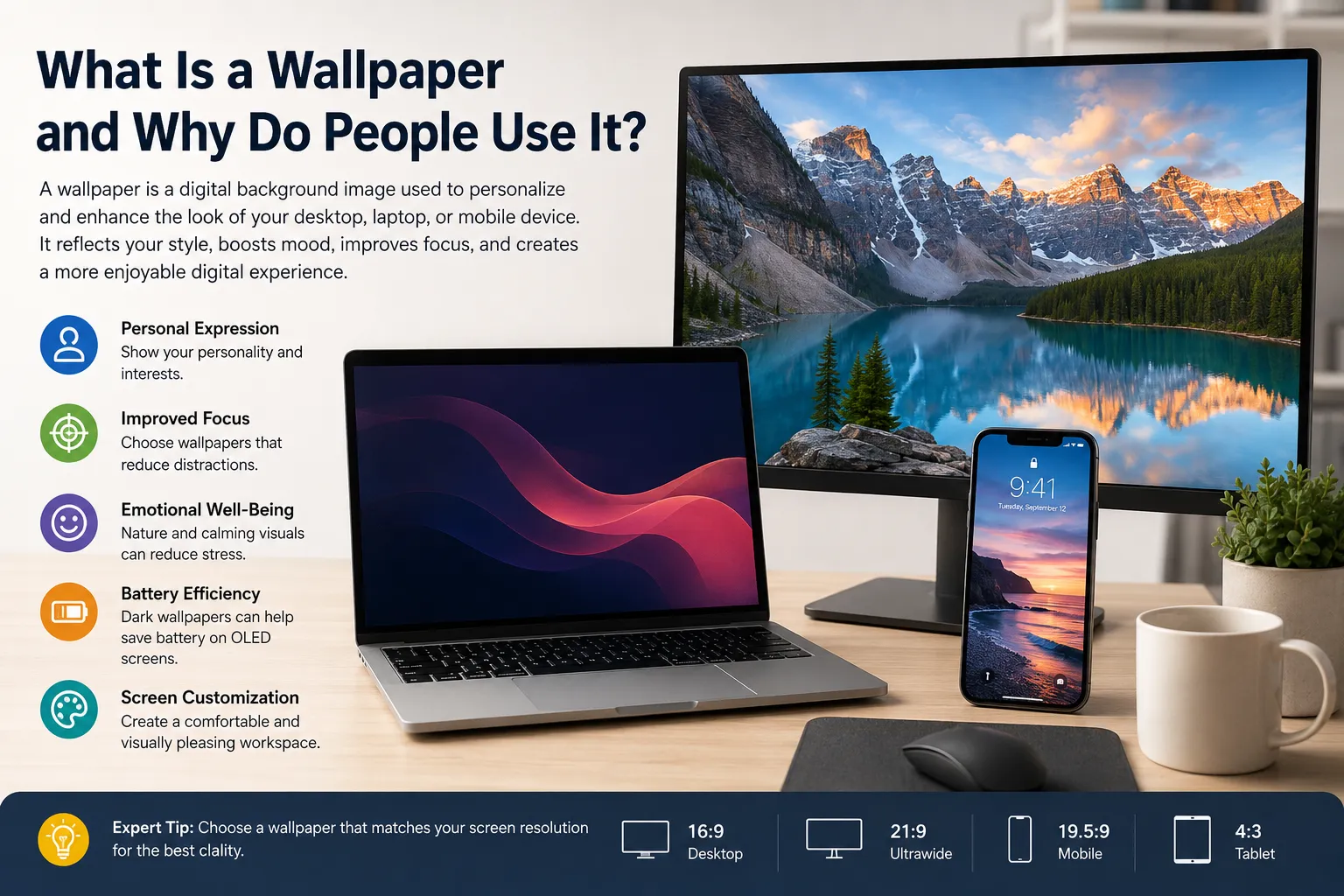
In today’s digital world, almost every device features a visual background that appears behind icons, widgets, and applications. Whether you’re using a desktop computer, laptop, tablet, or smartphone, the image displayed on your screen plays a significant role in how your device feels and functions.
A wallpaper is more than just a decorative image. It reflects personality, improves visual appeal, helps with organization, and creates a more enjoyable digital experience. From stunning landscapes and abstract artwork to motivational quotes and minimalist designs, wallpapers have become an essential part of modern screen customization.
This guide explores what wallpapers are, why people use them, common mistakes to avoid, best practices for choosing wallpapers, and expert recommendations for creating the perfect digital environment.
What Is Wallpaper?
A wallpaper is a digital image used as the background of a computer, smartphone, tablet, or other electronic device. It serves as the visual layer displayed behind icons, folders, widgets, and applications on a screen.
Wallpapers are often referred to as:
- Desktop wallpaper
- Mobile wallpaper
- Background image
- Device background
- Screen wallpaper
- Home screen background
- Lock screen wallpaper
The primary purpose of a wallpaper is to personalize and enhance the appearance of a device.
Types of Wallpapers
Desktop Wallpaper
A desktop wallpaper is designed for computers and laptops. These wallpapers typically use widescreen resolutions such as:
- 1920×1080 (Full HD)
- 2560×1440 (QHD)
- 3840×2160 (4K UHD)
- 5120×2880 (5K)
Desktop wallpapers often feature landscapes, digital art, gaming scenes, technology themes, and professional designs.
Mobile Wallpaper
A mobile wallpaper is optimized for smartphone screens. These wallpapers are usually created in vertical orientations and support modern screen ratios.
Popular mobile wallpaper categories include:
- Nature
- Anime
- Abstract art
- Minimalist designs
- Motivational quotes
- Luxury aesthetics
- Dark mode wallpapers
Live Wallpapers
Live wallpapers include animations or motion effects that create a dynamic appearance. They are commonly used on smartphones and some desktop operating systems.
Lock Screen Wallpapers
These wallpapers appear before a device is unlocked and often complement the home screen wallpaper.
Why It Matters
Many people underestimate the impact of a wallpaper. However, screen backgrounds can influence productivity, mood, focus, and overall user experience.
Personal Expression
A wallpaper allows users to express their interests, hobbies, values, and personality.
Examples include:
- Travel enthusiasts using mountain landscapes
- Gamers displaying favorite game artwork
- Professionals selecting clean minimalist backgrounds
- Artists showcasing creative illustrations
Improved User Experience
A well designed wallpaper creates a visually pleasant environment that makes daily device usage more enjoyable.
Increased Productivity
Certain wallpapers can reduce distractions and improve concentration.
For example:
- Minimalist wallpapers reduce visual clutter.
- Dark wallpapers help maintain focus.
- Organized background designs improve icon visibility.
Emotional Benefits
Research in environmental psychology suggests that visual environments can influence emotions and cognitive performance.
Nature inspired wallpapers may help users feel:
- More relaxed
- Less stressed
- More focused
- More creative
Brand Identity
Businesses often use branded wallpapers on company devices to reinforce organizational culture and consistency.
Key Facts and Important Information
Wallpapers Have Existed for Decades
The concept of desktop wallpaper dates back to early graphical user interfaces in the 1980s. As computer technology evolved, wallpaper quality and customization options improved dramatically.
Resolution Matters
One of the most important factors when selecting a wallpaper is resolution.
Using a wallpaper that matches your screen resolution helps ensure:
- Sharp image quality
- No pixelation
- Proper scaling
- Better visual appearance
Aspect Ratio Is Important
Common aspect ratios include:
| Device Type | Common Ratio |
|---|---|
| Desktop Monitor | 16:9 |
| Ultrawide Monitor | 21:9 |
| Smartphone | 19.5:9 |
| Tablet | 4:3 |
Choosing the wrong aspect ratio may cause cropping or stretching.
Dark Wallpapers Can Save Battery
On OLED and AMOLED displays, dark wallpapers may reduce power consumption because black pixels require less energy.
High Quality Wallpapers Improve Visual Appeal
A professionally designed wallpaper can make even an older device feel modern and attractive.
Common Mistakes
Many users unknowingly choose wallpapers that negatively affect usability.
Using Low Resolution Images
A blurry wallpaper immediately reduces visual quality.
Avoid:
- Small images stretched to fit large screens
- Compressed images with visible artifacts
- Poor quality screenshots
Overly Busy Designs
Extremely detailed backgrounds can make icons difficult to see.
Common issues include:
- Visual clutter
- Reduced readability
- Eye fatigue
Ignoring Screen Resolution
A wallpaper designed for a smartphone may not look good on a desktop monitor.
Always choose wallpapers specifically optimized for your device.
Excessive Brightness
Bright wallpapers may:
- Cause eye strain
- Reduce text visibility
- Increase distractions
Constantly Changing Wallpapers
Frequent changes can sometimes disrupt visual familiarity and workflow, especially in professional environments.
Best Practices
Choosing the right wallpaper involves more than selecting a beautiful image.
Match Your Screen Resolution
Before downloading a wallpaper, identify your screen resolution and choose an image that matches or exceeds it.
Prioritize Clarity
Select wallpapers with:
- Sharp details
- Proper contrast
- High quality rendering
Consider Icon Placement
Think about where your icons appear.
Good wallpapers provide:
- Empty space around icons
- Clear visibility
- Balanced composition
Use Dark Wallpapers for Long Sessions
People who spend many hours on screens often prefer darker backgrounds because they can feel less visually overwhelming.
Organize by Purpose
Different wallpapers may suit different goals.
Examples:
| Goal | Recommended Wallpaper Style |
|---|---|
| Productivity | Minimalist |
| Creativity | Artistic |
| Relaxation | Nature |
| Gaming | Character Art |
| Professional Use | Clean Abstract |
Keep Accessibility in Mind
Users with visual impairments may benefit from wallpapers with:
- Strong contrast
- Minimal distractions
- Clear visual separation
Expert Tips
Professionals in digital design and user experience often follow additional guidelines when selecting wallpapers.
Use Negative Space Strategically
Negative space refers to empty areas within a design.
Wallpapers with adequate negative space:
- Improve icon visibility
- Create a cleaner appearance
- Reduce visual stress
Create Device Consistency
Using matching wallpapers across:
- Desktop computers
- Smartphones
- Tablets
creates a more cohesive digital ecosystem.
Rotate Seasonal Wallpapers
Many users enjoy changing wallpapers according to:
- Seasons
- Holidays
- Travel experiences
- Personal milestones
This keeps devices feeling fresh without sacrificing usability.
Consider Color Psychology
Colors influence perception.
Examples include:
- Blue: calm and focus
- Green: balance and nature
- Orange: energy
- Purple: creativity
- Black: elegance and sophistication
Use Professional Sources
Download wallpapers from reputable sources that provide:
- High resolution
- Proper licensing
- Consistent quality
This ensures a better user experience and avoids copyright concerns.
Optimize for Multiple Displays
If using dual or triple monitors, choose wallpapers specifically designed for multi monitor setups to maintain visual continuity.
Frequently Asked Questions
What is a wallpaper on a computer?
A wallpaper is the background image displayed on a computer desktop behind icons, folders, and application windows.
What is the difference between wallpaper and background image?
In most cases, the terms are interchangeable. A wallpaper is simply a type of background image specifically used on device screens.
What resolution should a desktop wallpaper be?
Ideally, the wallpaper should match your monitor’s native resolution. For many users, this means 1920×1080 or 3840×2160.
Are dark wallpapers better for eyes?
Many users find dark wallpapers more comfortable, especially in low light environments. However, personal preference and screen settings also play important roles.
Do wallpapers affect battery life?
On OLED and AMOLED displays, darker wallpapers can contribute to reduced battery consumption.
What makes a good mobile wallpaper?
A good mobile wallpaper should be:
High resolution
Properly cropped
Visually appealing
Easy to view behind icons and widgets
Can wallpapers improve productivity?
Yes. Minimalist and organized wallpapers can reduce distractions and create a more focused workspace.
How often should I change my wallpaper?
There is no universal rule. Some users change wallpapers daily, while others keep the same image for years. The best choice depends on personal preference and workflow.
Conclusion
Wallpaper is one of the simplest yet most effective forms of digital personalization. Whether used as a desktop wallpaper, mobile wallpaper, or general background image, it influences how users interact with their devices every day.
A thoughtfully chosen wallpaper can improve aesthetics, enhance productivity, support emotional well being, and create a more personalized digital environment. By selecting high resolution images, matching screen resolutions, maintaining good contrast, and following proven screen customization practices, users can significantly improve their overall experience.
As devices become increasingly integrated into daily life, wallpapers remain a powerful tool for self expression, usability, and visual enjoyment.